


Every week someone tells me the same thing:
“I’d use Claude for outbound, but I’m not technical.”
So this week, nothing technical. Everything below runs in Claude in Chrome, the browser extension.
It sits next to LinkedIn in a side panel, reads the page you’re on, and clicks and types on it, with your permission.
I use it every day, and the DM system in hack 3 took me years to get right.
Claude in Chrome runs it now, in a few minutes a day.
First, the setup. Then 5 hacks that cover the whole LinkedIn funnel.
🚀 Quick start: Claude in Chrome in 5 minutes
Install the extension. Search “Claude” in the Chrome Web Store, add it, and pin it to your toolbar so the icon stays visible.
Sign in with your Claude account.
Open the side panel. Click the icon on any page. Claude opens on the right, next to the page.
Allow LinkedIn. The first time you use it on LinkedIn, Claude asks for permission for that site. Say yes once, and it remembers.
Give it a job in plain words. Type what you’d tell a sharp assistant looking over your shoulder: “read this conversation and tell me who this person is”. It reads the page and answers in the panel.
Let it act, one step at a time. When a task needs clicks or typing, Claude tells you what it’s about to do. You watch it happen on the page.
That’s the whole setup. Now the hacks.
Want all the Claude skills and the full GTM Systems Library behind this? Premium members get all of it, and you save 35% on your first year.
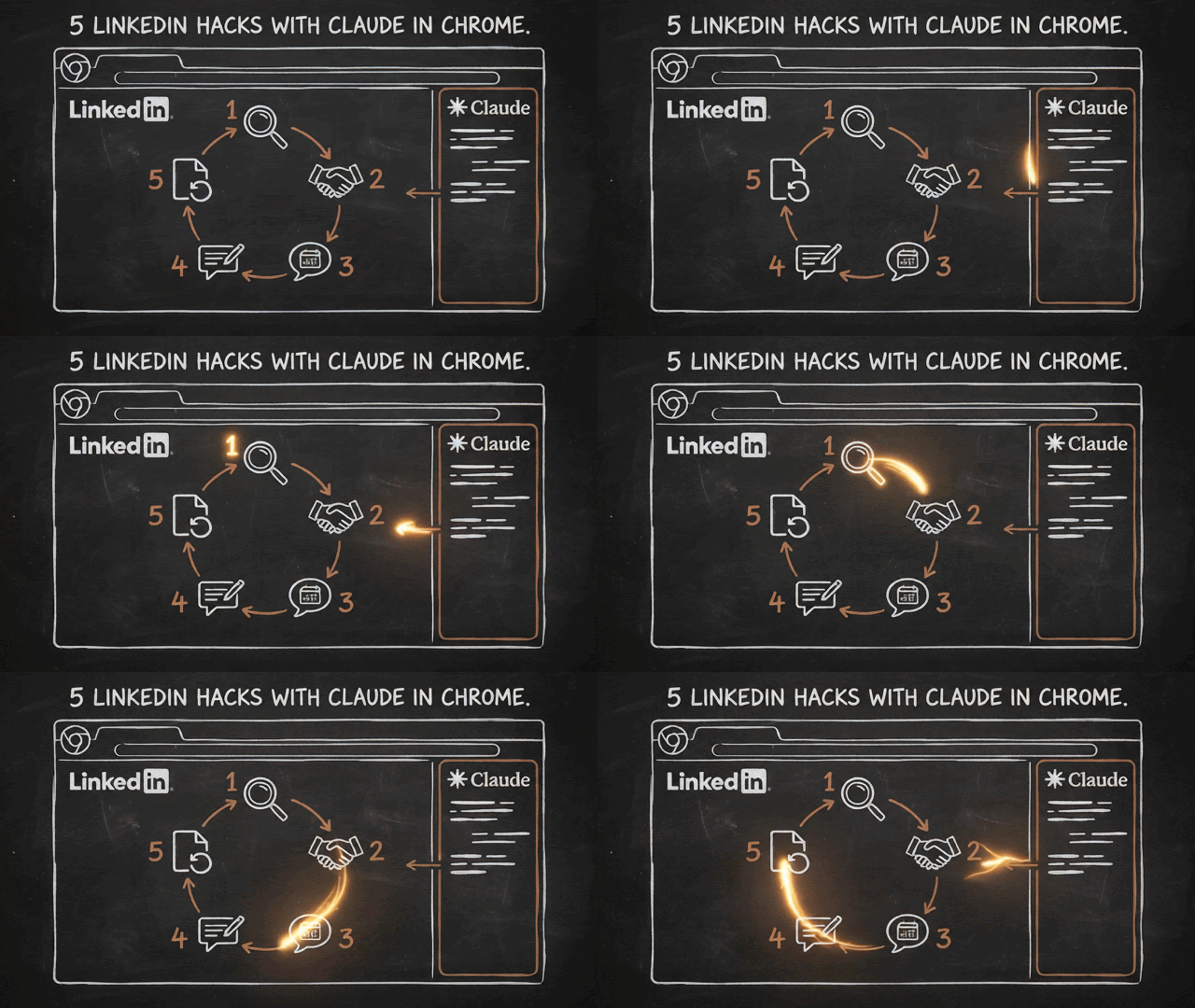
The 5 hacks, in funnel order
1. Find leads showing intent
2. Send connection requests that get accepted
3. DMs that book meetings
4. Run a comment session in your voice
5. Turn your DMs into posts
Each one has a full prompt you paste into the side panel.
Fill in the brackets once and keep them in a note, since every prompt starts with the same few lines about you.
Hack 1: Find leads showing intent 🔎
Buyers show their hand on LinkedIn mainly in three places:
People who engage with posts on your topic
People who just connected with your competitors
Companies hiring for the role your solution sits next to
Checking those by hand takes hours. The side panel does it while you watch:
ABOUT ME
I sell [what you sell] to [who you sell to]: titles like
[2-3 titles], at companies that are [size, industry,
country]. A peer is anyone who sells something like I
do. Peers are never leads.

WHAT TO DO
Open one of these:
- a post on my topic, and read who liked and commented
- a competitor's 3 latest posts, and read who liked and
  commented
- a competitor's connections list, sorted by recently
  added. This only works if I'm connected to them and
  the list is visible. If it's hidden, use their posts
- this LinkedIn search for "[role]", and read who
  posted the jobs
Work through everyone you can see. Scroll to load more
until you have 40 people or the list ends.

FOR EACH PERSON, RETURN ONE ROW
name | title | company | fit: yes / no / maybe |
why, in 5 words | what they did (liked, commented,
connected, posted the job)

THEN
- Rank the yes rows by how close they are to buying:
  a comment beats a like, a hiring post beats both
- Give me the top 5 to connect with this week, with
  one line each on why them, and why now
- Put every maybe in a second list for me to judge

RULES
- Read only what's on the page. Never guess a title or
  a company. Write UNKNOWN if it isn't shown
- Open a profile only if the headline isn't enough to
  judge fit, and at most 10 profiles
- Skip peers, students, recruiters and anyone at a
  company I've already contacted: [paste names]
- Change nothing on any page. No requests, no follows
Run it on a competitor’s newest connections once a week, and you have a warm list without buying data.
One caveat: a competitor’s connections list is only visible if you’re connected to them and they haven’t hidden it.
🔥 Next level: your competitor’s newest connections, every week
Sales Navigator’s “Connections of” filter turns a competitor’s network into a saved search.
Each week, it shows you who connected with them since your last visit, which is often people mid-way through buying what you sell.
The full play, with the filters, the export prompt and a Monday routine: STEAL Your COMPETITOR’s Leads With Claude + LinkedIn.

More plays like this: Catch INTENT on LinkedIn with Claude.

Hack 2: Send connection requests that get accepted 🤝
When your request lands, the person sees your name, your face and your headline, and decides in about two seconds.
A note that opens with “Saw you liked...” tells them a pitch is coming.
So the rule is: send a blank request, or a hyper-specific one. Nothing in between.
In my client’s campaigns, requests to well-targeted lists got accepted 50% to 74% of the time, mostly blank.
ABOUT ME
I sell [what you sell] to [who you sell to].
My headline reads: [paste it].

WHAT TO DO
Here are the 5 people from my intent list: [paste the
5 rows]. For each one, open their profile and decide:

BLANK or NOTE?
- BLANK if there's nothing specific linking me to them
  beyond my topic. Blank beats generic.
- NOTE only if there's one hyper-specific thing: they
  commented on a post I wrote, we share a named
  connection who'd vouch for me, or they posted about
  the exact problem I solve this month.

IF NOTE, write it, and it must
- be under 200 characters
- name the specific thing, with no flattery around it
- contain no pitch, no link, no question about their
  business
- read like something I'd say if we met at an event

Return a table: name | blank or note | the note, if
any | why. Then wait. I'll send the requests myself.
The full breakdown, including what the headline needs to say first: 74% LinkedIn Connects Accepted with this Claude Prompt.

Hack 3: DMs that book meetings 💬
The slowest step in LinkedIn outreach is you, staring at a reply, wondering what to say back.
Meanwhile the prospect goes cold.
My DM system runs on one rule: every message moves the conversation one step, never two.
Across three campaigns, that got 20.8% to 45% replies. Open the conversation and run this:
ABOUT ME
I sell [what you sell] to [who you sell to]. The result
they get: [one line]. Proof: [one result with a number].
I never pitch: [peers, students, vendors, anyone else].

WHAT TO DO
1. Read this whole conversation, and open the person's
   profile if you can.
2. Tell me in one line who this is: a buyer, a peer,
   someone I still need to qualify, or not a buyer.
   Say what in the thread or profile tells you that.
3. Tell me where we are: no reply yet / chatting /
   they named a problem / ready for a call ask.
4. Draft 3 options for my next message. Label each one
   with its approach, for example: answer and ask back,
   soft call ask, propose two times.

EVERY OPTION MUST
- move things ONE step forward, never two. A pitch to
  someone who just accepted my request is two steps
- be 1 to 4 short lines
- ask at most one question
- sound like me: copy my length and tone from my own
  messages in this thread
- use only facts that are in the thread or the profile.
  Never invent a detail about them or about my product

THE CALL ASK
Only propose a call once they've named a problem I
solve. Then: one line linking their problem to the
call, two time options or my link [booking link], and
nothing after it.

IF THEY'RE NOT A BUYER
Say so, and draft one polite close instead of a pitch.

Show me the 3 options and wait. Never send anything.
The full DM system, with the numbers: Booking Meetings on LinkedIn with Claude in Chrome.

Hack 4: Run a comment session in your voice 🗣️
People accept requests and answer DMs from names they’ve seen before.
Comments are how they see yours, and 10 minutes a day beats an hour on Friday.
Open your feed and run this:
ABOUT ME
My topics: [3-5 subjects]. I want to be seen by: [your
buyers, one line]. Here are 3 comments I wrote, so you
can copy my length and tone: [paste 3].
Words I never use: [your list].

STEP 1: MY OWN POSTS FIRST
Open my 3 latest posts. For every comment or reply I
haven't answered, draft an answer. These come before
anything else: people who already engaged with me
outrank strangers.

STEP 2: PICK 5 POSTS
Scroll my feed and pick 5 posts worth a comment:
- fresh: hours old, where a comment still gets seen
- on my topics
- alive: people are already replying
Skip politics, personal news, job changes and anything
that's a pitch.

STEP 3: 3 OPTIONS PER POST
For each post, draft 3 comments. Label each: add an
experience / push back on one point / ask the question
the author wants to answer. A comment must add
something. Praise with nothing attached gets cut. 1 to
3 sentences, my tone, no sign-offs, no hashtags.

STEP 4: WAIT
Show me everything in one list. I'll answer like
"1B, 2A, skip 3". Post only what I pick, one at a time,
with a pause between posts. Never post a duplicate on
the same post. Never post anything I didn't pick.

Close with one line: comments posted, replies answered,
anyone worth a DM.
Hack 5: Turn your DMs into posts ♻️
Your buyers write your best posts for you, inside your inbox.
Their questions, their objections, their words.
ABOUT ME
I write for [your buyers] about [your topics]. Here's a
post of mine, so you can copy how I write: [paste one].

WHAT TO DO
1. Open my LinkedIn inbox and read my last 20
   conversations with prospects or buyers. Skip chats
   with friends, peers and vendors.
2. Collect every question they asked me, word for word.
   Remove every name, company and detail that could
   identify them.
3. Group the questions by theme. Show me the themes,
   with how often each came up.

THEN DRAFT 3 POSTS
Take the 3 most common questions. For each one:
- open with the question, phrased the way they asked it
- answer it the way I did in the thread, cleaned up
- add one concrete detail or number from my answer
- under 150 words, short lines, my tone
- no names, no company details, nothing traceable

Show me all 3. I'll pick what gets posted. Post nothing
yourself.
A post that answers a question three buyers asked this month lands with the hundred who never asked.
And those posts feed hack 1: every new post is a fresh list of engagers.
The thinking behind this one: Two Engines You Need To Grow on LinkedIn.

📦 Download: The 5 Skills Behind the 5 Hacks
Every prompt above starts with a block about you: what you sell, who buys, how you write.
A skill keeps it. You answer a few setup questions once, and from then on it remembers your offer, your buyers, your voice and your no-list.
It kicks in as soon as you ask, so you never have to dig up the prompt.
Inside, one SKILL per hack:
intent-finder: reads post engagers, a competitor’s connections or a jobs search, and hands you the 5 people to connect with this week
connection-request: decides blank or note for every person, and writes the note when one is worth it
dm-meeting-booker: reads any DM thread, works out who you’re talking to, and drafts 3 next messages, each one step closer to the call
comment-session: answers the comments on your own posts first, then drafts 3 options per post across your feed
dm-to-posts: turns the questions buyers ask in your inbox into 3 post drafts, with every name stripped out
All 5 wait for your pick. None of them ever sends, posts or connects on its own.