

The other day someone congratulated me on my ‘fundraising’.
Warm little note attached to their connection request:
“Congrats on the fundraising! Super excited to see the Clay team making some serious waves these days. Would love to connect!”
I don’t work at Clay. I never have.
Some automation matched my profile to Clay and confidently personalised away.
That’s what personalisation at scale looks like from the receiving end.
And it’s why the entire approach is backwards.

The decision before the note
Here’s what happens when your request lands:
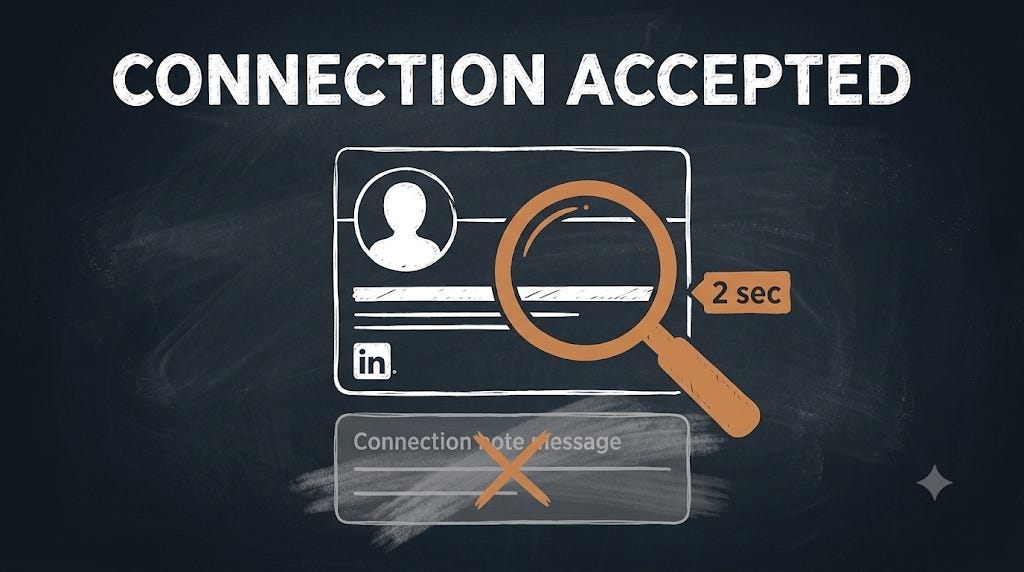
The person sees your name, your face, and your headline.
In about 2 seconds, they make one subconscious calculation:
“Do I recognise this person, and if not, could this connection be worth something?”
Two nos, and even the sharpest note disappears into the void.
A yes, and they click ‘Accept’ without reading a word you wrote.
The numbers
Across my client’s last campaigns, requests to well-targeted lists ran between 50% and 74% acceptance.
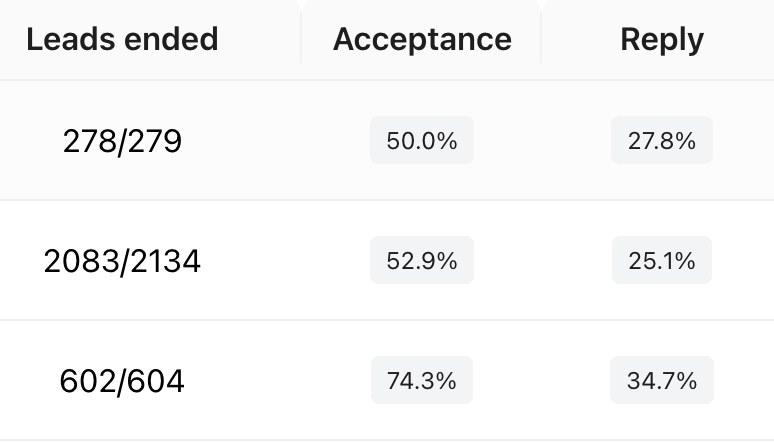
No clever notes or fake familiarity. Targeted lists, a headline that says something concrete, and mostly blank requests.
Hold onto that reply rate column on the right. We’ll come back to it at the end.
Those acceptance rates start with the list.
The targeting came from the plays in the last three editions:
If your list is full of people already showing interest in a solution like yours, the rest of this system turns them into connections.
Why connection notes backfire
Every note that opens with “Saw you liked...” or “We’re both in...” screams the same subtext: I’m about to sell you something.
Everyone has seen a hundred of these. The template is the tell, and more effort makes it worse, because effort spent proving familiarity signals exactly the opposite.
The senders rarely work out why their acceptance rate sits under 30%, because they keep fixing the copy instead of the system behind it.