

You sent the connection request. They accept, and you send a message.
Then one of two things happens.
Nothing comes back at all. 😔
Or they do reply, and you freeze, because now what? 🤔
That second one is where almost all LinkedIn outreach dies.
Someone actually answered you. They’re paying attention for maybe 30 seconds.
And you either jump straight to pitching a call and sound like every other salesperson in their inbox.
Or you say something vague and friendly and watch the whole thing fade out over the next week.
I did that for years. And here’s what changed:
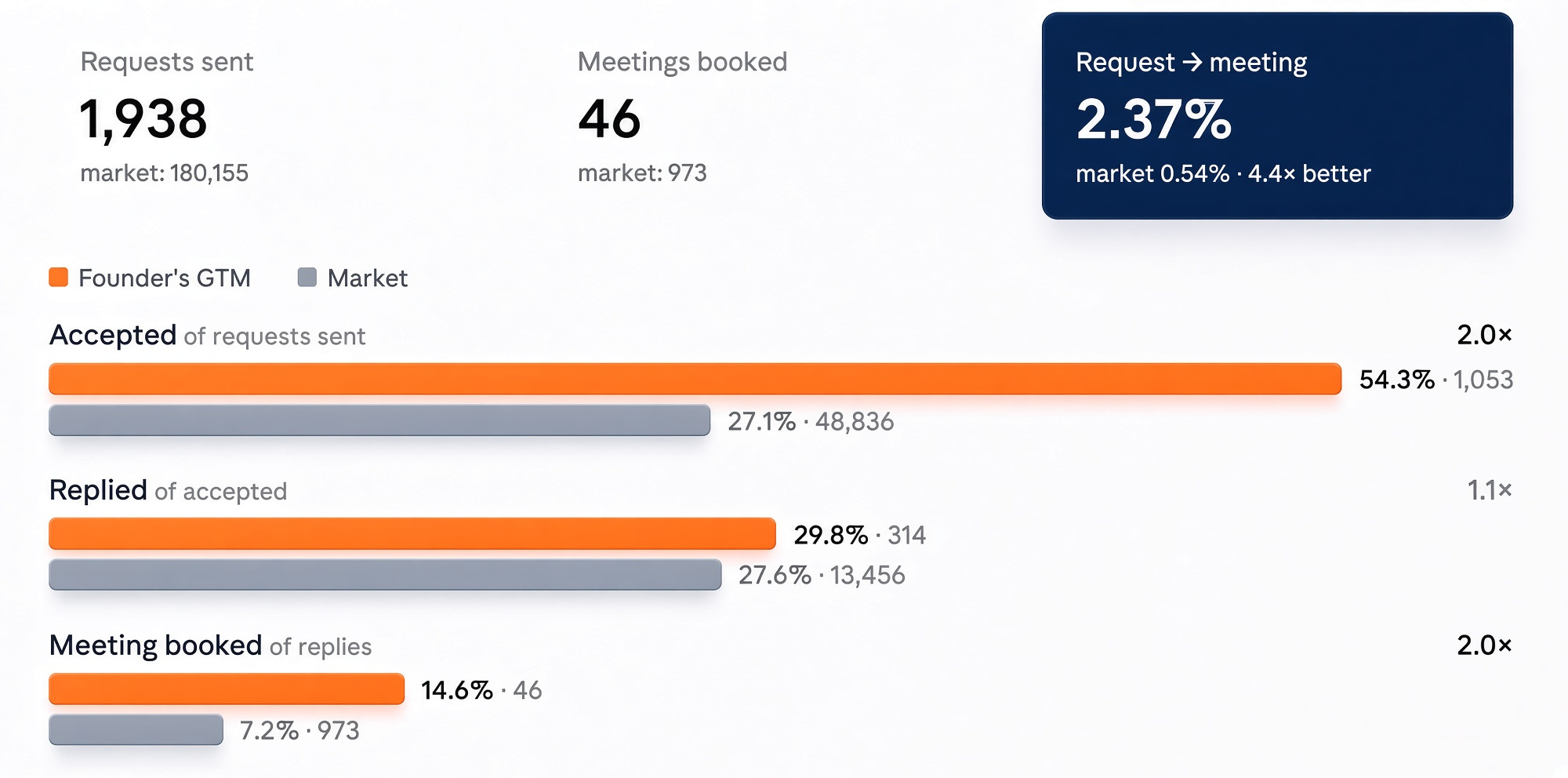
46 meetings from 1,938 connection requests. Six months, about 12 requests a day. 2.37% meeting rate.
These were all ‘cold’ prospects. Fresh connections, pulled from LinkedIn signals. No warm intros, referrals, or inbound.
DM people who already know you, past clients, dormant contacts, your existing network, and the rates go further up.
LinkedIn Outreach Benchmarks 2026 tracked 180,155 connection requests sent between January 2025 and August 2026.
Across that whole dataset, the average is 5.4 meetings booked per 1,000 requests sent. Just over half a percent.
At that rate, booking 46 meetings takes about 8,518 requests. I did it with 1,938, roughly a quarter of the volume.
Learn everything about how to get your connection requests accepted here:

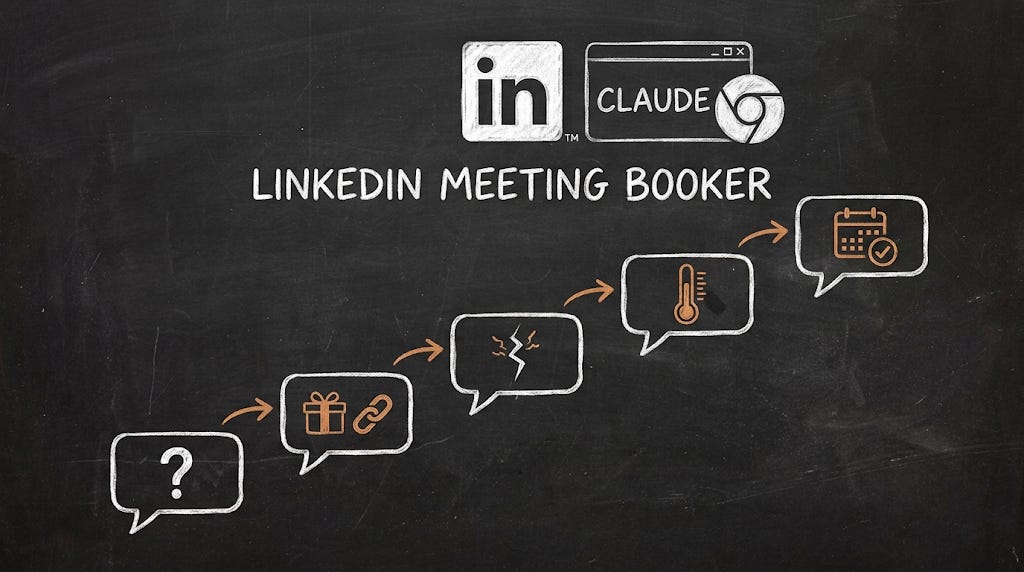
Now, today is about knowing exactly what to say once someone replies, until booking the meeting.
Not just a script you copy.
It’s a conversational strategy, where every message has one job, and you always know which one you’re on.


Years of getting this wrong, until I got it right
It took me a few years to get here. Now you can apply it in 30 minutes.
Every rule in the system below exists because an earlier version of it cost me a conversation.
And it’s all packaged into the skill you can save further down.
But I’m not handing you just a button to press blind.
Because it’s a bad idea to automate something you don’t actually understand.
So before the quick fix, here’s the entire strategy laid out in full.
Read it first. Then let the skill run it for you: