


Every LinkedIn guide tells you the same thing: Post consistently, comment daily. Build an audience. Feed the algorithm and wait for the inbound to come. That’s a full-time job, and likes don’t pay the burn rate.
There’s a different way to pull pipeline off LinkedIn, and it needs zero posting or ads.
No content calendar, engagement farming, or showing up every morning to perform in public. You read the signals already sitting in the platform, and you act on them directly.
The signals are public. They’re dated. And almost nobody acts on them properly, because everyone’s too busy chasing reach.
Here’s how to turn them into a scored list of leads, using three tools:
LinkedIn Premium Account, ideally Sales Navigator (free trial via the link)
A job post is a signal
When a company hires a role related to your solution, they’ve just told you they have the problem you fix. For instance:
A company hiring a Head of Sales has a sales-scaling problem, right now.
A company hiring three customer success managers has an onboarding or retention problem, right now.
A company posting for a RevOps lead has a pipeline-visibility problem, right now.
The hire is the company saying, out loud: “This is the thing we’ve decided to spend money on solving.”
That’s a better trigger than any firmographic filter. “Companies with 50 to 200 employees in fintech” tells you who might fit.
“Companies that posted a Head of Sales role last week” tells you who’s in pain today.
One is a guess about fit. The other is a dated signal of intent.
The setup
Here’s the constraint that shapes everything, and the thing teams often get wrong on their first try.
Claude Code cannot read LinkedIn.
LinkedIn sits behind your login. It’s session-gated, which means the page only exists inside your authenticated browser. Claude Code works off-page, on files and the open web, so it never sees what’s on your LinkedIn screen. Point it at a LinkedIn URL and it gets a login wall, not your jobs feed.
So this runs two tools doing two different jobs.
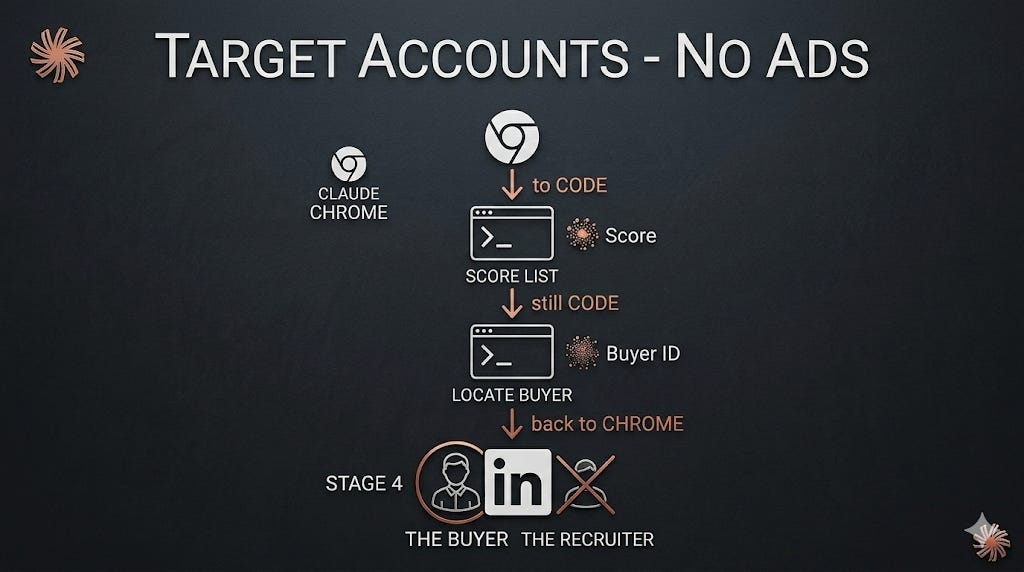
Claude in Chrome reads what’s on the screen. It lives in your browser, inside your logged-in session, so it sees exactly what you see: the jobs feed, the search results, the profiles. It’s the eyes.
Claude Code does the thinking off-page. It takes the raw data Chrome pulls and qualifies it, scores it, and works out who to actually contact. It’s the brain.
Code thinks, Chrome reads, and the four steps below move between them. Each step ends with a clear output the next one picks up.
You need both tools on a paid Claude plan. Claude Code runs on your machine. If you’ve followed my earlier guides you already have it set up; if not, the Claude GTM Starter walks you through it.
Claude in Chrome is the part that reads LinkedIn. It’s a browser extension. Open Chrome, find Claude in the Chrome Web Store, click Add to Chrome, sign in with your account, and pin it.
A Claude icon lands in your toolbar, and clicking it opens a side panel that stays open while you browse. That panel is where the Chrome prompts will run.
Once one of the Chrome prompts below works well for you, save it as a shortcut. Type “/” in the panel, pick it, and it runs again instantly, no pasting.
The two tools are built to work together by design, Code in the terminal, Chrome in the browser, so you’re not bolting together a workaround. You’re using them exactly as they’re meant to pair. That’s the whole kit.
And Claude Cowork? It could stand in for Claude Code, and for the off-page thinking it works just as well. We focus on Code because it’s on every paid plan, it remembers your setup week to week, and the steps are identical either way.
Step 1: Code builds the search string
Off-page text work, so this is Claude Code.
Before you touch LinkedIn, you need a precise search that pulls only the roles that signal your buyer. LinkedIn’s job search runs on boolean logic (AND, OR, NOT, quotes, parentheses), and getting it right is the difference between 25 clean signals and 300 rows of junk.
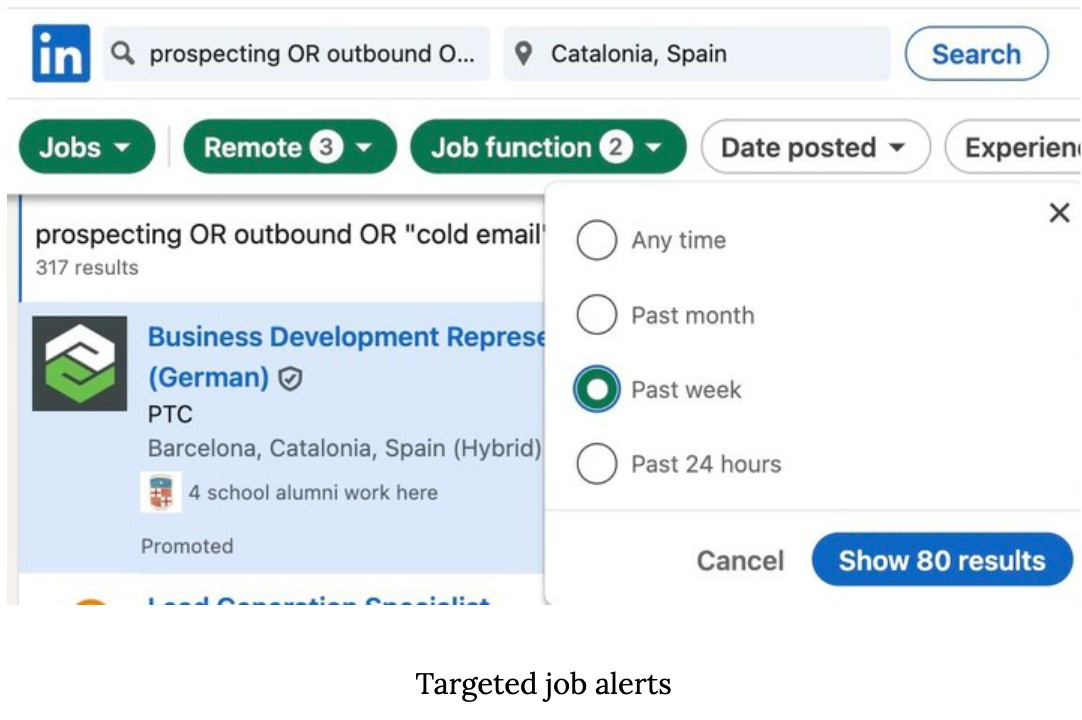
The biggest noise source is staffing agencies, the firms that post these exact roles constantly because recruiting is their business, and this prompt strips them out from the start.
Run this in a Claude Code session: