


The founder of a US B2B fintech told me this back in March. Eight people, healthy ARR, decent retention:
“Time is our enemy. We know what we should be doing. We just never get to do it properly.”
They had already done what most teams are still trying to do:
Claude Code installed
A clean ICP document
A Clay subscription running for over a year
Apollo credits sitting unused at the end of every month
This founder is ahead of 90% of bootstrapped founders. The stack is in place, and the posts have been read.
There is just no time to use any of it properly.
The bottleneck has often nothing to do with knowing about sales tools. It is simply finding 90 minutes a week to actually use them.
And 90 minutes a week, every week, is harder to defend than a single Saturday afternoon of setup.
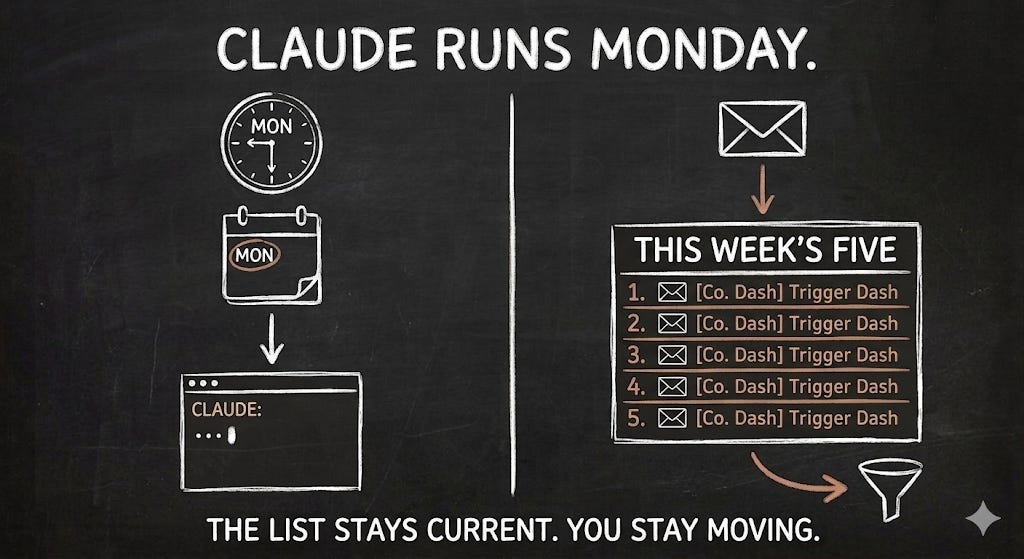
So I created a Claude prompt to fix the time problem instead of the knowledge problem. It runs every Monday, and takes about 10 minutes.
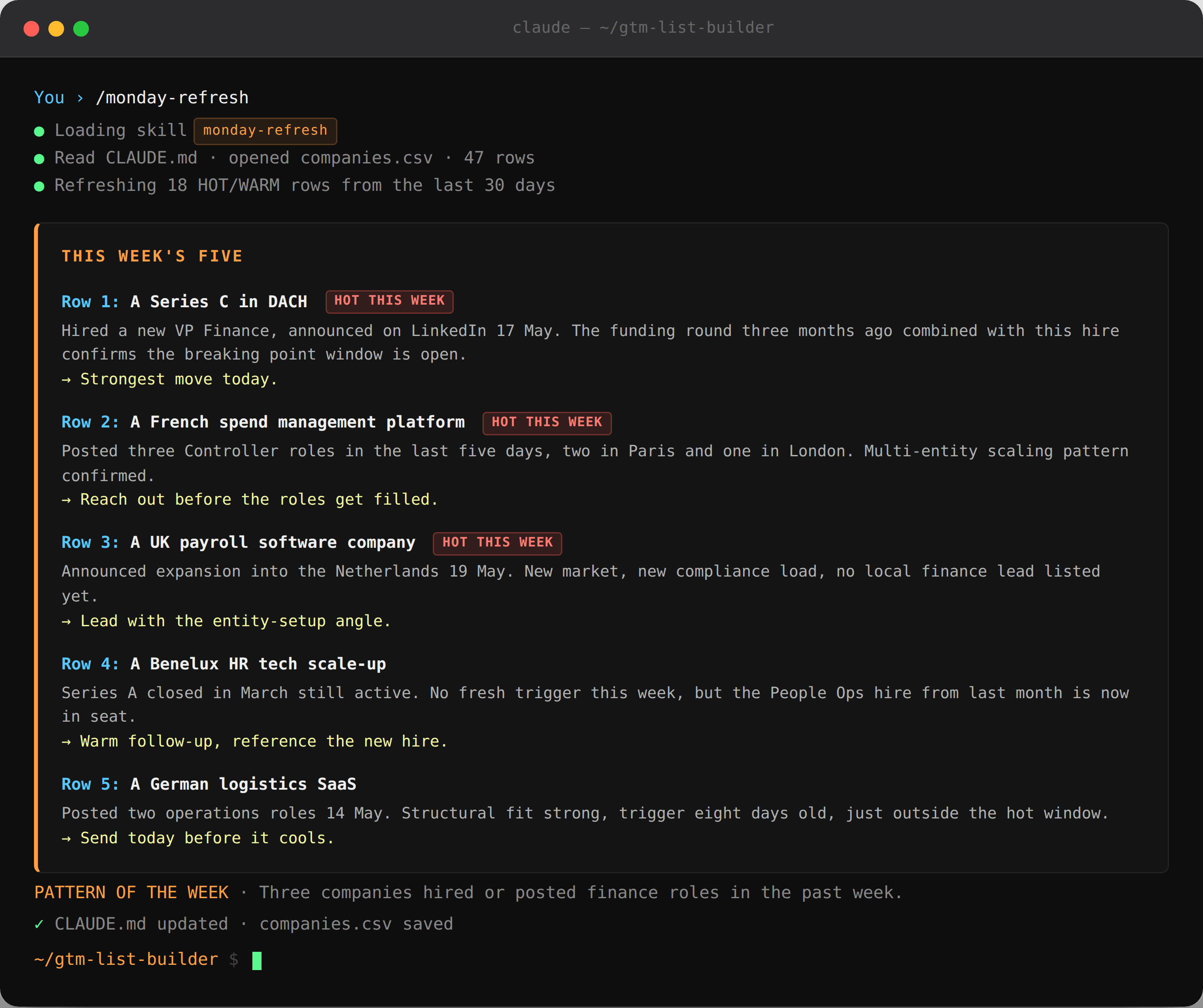
Last Monday it produced this:
THIS WEEK’S FIVE
Row 1: A Series C in DACH. Hired a new VP Finance announced on LinkedIn 17 May. The funding round three months ago combined with this hire confirms the breaking point window is open. Strongest move today.
Row 2: A French spend management platform. Posted three Controller roles in the last five days, two in Paris and one in London. Multi-entity scaling pattern confirmed. Reach out before the roles get filled.
Row 3: ...
Across the last few weeks of these Monday lists, he sent 60emails. Five turned into replies, two into calls.
That’s the output. Below is how to build it: the prompt, the CLAUDE.md rules that keep it consistent every week, and the trick that makes it sharper the longer you run it.
The Monday Refresh Prompt
Below is the prompt that you can run every Monday. Paste it into your Claude session inside your gtm-list-builder project folder.
It reads your existing companies.csv, refreshes everything rated HOT or WARM in the last 30 days, and produces the Monday hit list you saw above.
You are my Monday morning list refresh GTM agent.

Your job is to find the five companies on my list
who are the strongest move this week, and tell me
in plain language why.

## STEP 1: LOAD CONTEXT
Read CLAUDE.md in full before doing anything.
Open companies.csv from the project folder.
Identify every row rated HOT or WARM with a
date_added inside the last 30 days.
These are the rows you refresh this week.
Skip everything older than 30 days.

## STEP 2: SEARCH IN THIS ORDER
For each company, run these searches in this exact
sequence. Stop the moment you find a trigger inside
the last seven days, mark the company HOT THIS WEEK,
and move to the next company. Do not keep searching
once a fresh trigger is confirmed.

  1. LinkedIn company page — new senior hires posted
     in the buying centre in the last 7 days
  2. LinkedIn job posts — new postings matching the
     BUYING TRIGGERS in CLAUDE.md, posted in the last
     7 days
  3. Recent news search — funding, expansion,
     acquisition, product launch, regulatory change,
     anything in the last 7 days
  4. Website — product pages, pricing changes,
     case studies posted in the last 7 days

If none of the four return a trigger inside the last
seven days, check whether the original trigger from
date_added is still active. If yes, mark REFRESHED.
If the original trigger is now more than 60 days old
and nothing fresh exists, mark STALE.

## STEP 3: UPDATE THE CSV
Only update these three columns:
  buying_signal       (HOT, WARM, COLD)
  buying_trigger      (the freshest trigger you found,
                       with the date it appeared)
  date_added          (today's date if a new trigger
                       was found, otherwise leave it)

Save after every 10 rows. Do not overwrite other columns.
Do not add new rows.

## STEP 4: PRODUCE THE MONDAY REPORT
Output exactly this format. No preamble. No closing.

THIS WEEK'S FIVE
Row 1: [Company name] — [trigger event, dated] —
       [one sentence on why this is the strongest
        move you can make today]
Row 2: [...]
Row 3: [...]
Row 4: [...]
Row 5: [...]

If fewer than five companies qualify as HOT THIS WEEK,
do not fill the gap with weaker rows. Say:
"Only [N] companies are hot this week. Want me to add
new accounts to the list, or focus on warm follow-up?"

PATTERN OF THE WEEK
One sentence on any cluster you noticed across the
fresh triggers. Example: "Three companies on
the list hired new CFOs in the past five days."
If no cluster is visible, write: "No pattern this week."

DROPPED FROM HOT
List any company that moved from HOT to WARM or STALE
this week and why, one line each.

## STEP 5: FEED LEARNINGS BACK
At the very end, append a single line to CLAUDE.md
under a section called ## REFRESH LEARNINGS.
Format: [date] — [observation worth remembering].
Only add a line if you noticed something new about
the buying pattern, not just the week's activity.
Example: "20 May — Companies in DACH region showing
stronger trigger density than UK over last four weeks."
If nothing new emerged, do not add a line.
The CLAUDE.md addition
For the prompt to behave consistently every week, add this block to the end of your CLAUDE.md. Without these rules, Claude rates differently from session to session.
## WEEKLY REFRESH RULES
- Save changes to companies.csv after every 10 rows
- Mark HOT THIS WEEK only if the trigger is from
  the last 7 days
- Drop a company from HOT to WARM if the original
  trigger is more than 60 days old and nothing
  fresh appears
- For the priority five, prioritise multi-trigger
  companies over single-trigger companies
- If fewer than five qualify, name the gap honestly
  instead of filling it with weak rows
- Append new pattern observations to ## REFRESH LEARNINGS
  at the end of this file
How to run it
Open your terminal:
cd ~/Desktop/gtm-list-builder
claude
Paste the prompt. The first run takes 20 to 30 minutes because Claude is doing the research from scratch. From the second week onward it is an incremental check, and 10 minutes is realistic for a list of 50 companies.
What you get back every Monday
A five-company hit list with a documented reason next to each one.
A pattern observation across the fresh triggers.
A note on which companies dropped off and why.
One line appended to your CLAUDE.md so next week’s refresh is sharper than this week’s.
That is what makes the system compound. Three months in, your operating manual knows your buying patterns better than you do.
Claude Routines
Ten minutes is short. But you still have to open your terminal every Monday and remember to paste the prompt.
Routines closes that gap. A Routine is a saved Claude Code job that runs by itself on a schedule. Anthropic runs it on their cloud while you are still asleep.
To turn the Monday Refresh into a Routine, open Claude Code inside your project folder and type:
/schedule

> Run the Monday Refresh Prompt every Monday at 9am
  my local time. Email the report to me when it
  completes.
Claude Code translates the natural language into a schedule, confirms the timing, and saves it.
What changes once it is running:
You open your inbox on Monday morning
The Monday report is already there
You read it over coffee and decide who to message first
Ten minutes drops to close to zero. The Routine refreshes the list and drops the report in your inbox. You still read it, decide who is worth an email, and adjust. But the digging is done before you sit down.
Takeaway
The problem was never knowing about the tools, but finding the time to use them every week.
The Monday Refresh Prompt fixes that. You build your list once, then every Monday the prompt checks it for fresh signals and hands you five companies worth emailing, with a reason next to each one. 90 minutes of research becomes 10.
Three things make it work:
The prompt searches in a fixed order and stops the moment it finds a fresh trigger, so it stays fast
The CLAUDE.md rules keep the scoring consistent week to week, so Monday’s list is built the same way every time
Each run adds one learning back to your CLAUDE.md, so the system gets sharper the longer you use it
Then Routines removes even the ten minutes. Schedule the prompt once and the report lands in your inbox every Monday morning.
Build the list once, and let the prompt keep it warm. Then let Routines run the prompt.
Best,
PS: You can now get 30% off the annual plan. Offer valid until June 6th.