

How to enrich your account list with verified contact data without paying $800/month.
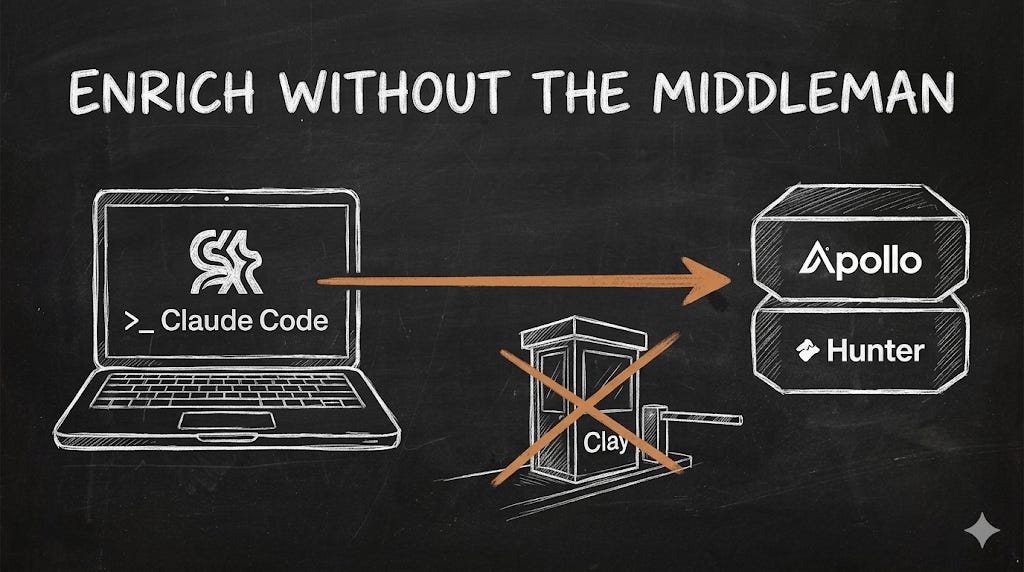
This system replaces your Clay subscription with a direct connection between Claude Code and your enrichment provider.
You'll set it up in under 30 minutes, and from that point on, finding the right people inside your target accounts and pulling their verified contact data costs a fraction of what Clay charges.
The Founder’s GTM 🦊 paid subscription includes this system plus others. You can cancel anytime and keep everything you've already accessed.
Table of Contents
Introduction
What this guide does
Who this is for
What you will have by the end
What you need before you start
Part 1: How MCP Enrichment Works
Why Clay became the default enrichment tool
What MCP changes about the enrichment equation
The direct connection model: five steps from setup to output
What this stack costs vs what Clay costs
An important distinction: provider-verified vs currently deliverable
What this stack does not replace
The MCP ecosystem is growing
Part 2: Choosing Your Enrichment Provider
What to look for: five criteria that actually matter
Coverage for your specific ICP
Email verification quality
MCP server availability and quality
API pricing at founding team scale
Rate limits and session behaviour
The three main options:
Apollo: firmographic matching at scale, official MCP server
Prospeo: European ICP coverage, real-time verification
Findymail: LinkedIn-first, strong for European B2B professionals
The coverage gap: when you need more than one provider
Running the coverage test
What the numbers mean: 80%, 60% to 80%, below 60%
The most common fallback combinations
Making your decision
Part 3: Setting Up Your Enrichment Provider
Before you start: create your project folder
Setting up Apollo
Step 1: Get your Apollo API key
Step 2: Connect Apollo via MCP
Step 3: Verify the Apollo connection
Setting up Prospeo
Step 1: Get your Prospeo API key
Step 2: Connect Prospeo via MCP
Step 3: Verify the Prospeo connection
Setting up Findymail
Step 1: Get your Findymail API key
Step 2: Connect Findymail via MCP
Step 3: Verify the Findymail connection
Verifying multiple providers are connected
Running your coverage test
Adding a second provider as a fallback
Troubleshooting: provider does not appear in the MCP tools list
Troubleshooting: authentication error when provider is queried
Troubleshooting: provider connects but returns empty results
Part 4: Preparing Your Account List
The required column structure
Pre-enrichment columns: company_name, domain, industry, employee_count, geography, buying_signal, why_fit_evidence
Enrichment columns: champion and buyer contact fields, news_summary, tech_stack_signals, research_notes, source_url, date_enriched
Status columns: research_done, status
Adding the enrichment columns to your CSV
The complete header row
Cleaning your domain column
Validating ICP fit before enrichment
Prioritising your list with priority_targets.txt
The five-minute pre-enrichment check
A note on list size and batch quality
Part 5: The /enrich Skill
What the Skill does and why it matters
Creating the Skill file: full template
BEFORE YOU START: load CLAUDE.md, identify unprocessed rows
YOUR ROLE: quality over volume, no invented data
STEP 1: Clarify the session (three questions before searching)
STEP 2: State your enrichment plan
STEP 3: Find the Champion contact (primary query, fallback logic)
STEP 4: Find the Buyer contact (same person handling, fallback logic)
STEP 5: Verify and score the row (verification pass, scoring pass)
STEP 6: Save to companies.csv (column rules, save frequency)
STEP 7: End of session report (seven sections)
How to run the Skill
What a fully enriched row looks like
Adapting the Skill to your provider
Part 6: The Decision Guide
The question to ask first: what job is Clay actually doing?
Discovery 1: Clay is doing one job you are paying for three
Discovery 2: Clay is doing exactly what you need
Discovery 3: Clay was solving a problem that no longer exists
When the direct MCP stack is enough
Your ICP is well-covered by one or two providers
You are the primary person running enrichment
You value research quality over raw contact volume
You want full control over your data
When Clay is still worth keeping
Waterfall enrichment across five or more providers at scale
Your team is larger than three or four people
You rely on Clay’s native outreach tool integrations
Your enrichment logic is highly complex
The hybrid stack: Claude Code for research, Clay for enrichment
A practical cost comparison: direct stack vs hybrid stack vs Clay-only
Making your decision: three questions
Part 7: Troubleshooting
Category 1: Connection Problems
Problem 1.1: Provider does not appear in the MCP tools list
Problem 1.2: Authentication error when provider is queried
Problem 1.3: Provider connects but returns empty results
Problem 1.4: MCP server crashes mid-session
Category 2: Data Quality Problems
Problem 2.1: Verified email hit rate is lower than expected
Problem 2.2: Provider returns contacts for the wrong company
Problem 2.3: Contact information is outdated
Problem 2.4: news_summary and tech_stack_signals fields are consistently empty
Category 3: Session Behaviour Problems
Problem 3.1: Session times out before completing the batch
Problem 3.2: Skill processes already-enriched rows again
Problem 3.3: Scoring is inconsistent between sessions
Category 4: CSV Problems
Problem 4.1: Skill creates new columns instead of writing to existing ones
Problem 4.2: CSV becomes corrupted after a session
Problem 4.3: File grows too large for efficient processing
When to ask for help: the diagnostic prompt
Part 8: What Comes Next
What you have built: identity, contacts, context, prioritisation
How this list feeds into the outreach sequence
why_fit_evidence and buying_trigger feed the WHY THEM hook
tech_stack_signals feed the WHY YOU proof point selection
champion_email and buying_signal feed channel and sequence decisions
research_notes feed the manual review step
The next guide: building the outreach sequence with Claude Code
Three things to do before the next guide
The compounding effect
Final checklist before the next guide