



I looked at a tool called Clay back in 2022.
People saw just another outbound tool. Hard to learn, a bit scary.
I saw something that was going to change how we build lead lists.
If you listened then, you know what happened. Clay became the main tool for modern GTM.
Claude Code is past that stage already. The founders getting the best results are running it now, not thinking about it.
It stopped being the interesting new option and became the default one.
The only reason more people aren’t using it: until recently you had to install things, type commands, and open software you’d never heard of.
Plenty gave up before they started.
That wall came down. It runs in a normal app now, and the setup takes 5 minutes.
So here’s what it actually does, and why it matters more than another tool in your stack.
🧠 What Claude Code actually does
Using AI usually means opening a browser tab. You paste in text, it gives you text back, then you go do the work yourself.
Claude Code does the work.
Give it permission and it makes files on your computer, runs scripts, searches the web.
If it hits an error, it reads it, fixes it, and keeps going. Think of a fast intern who can use your keyboard.
Ask a normal chatbot to find pricing pages for 50 competitors and you get a script you don’t know how to run.
Ask Claude Code and it writes the script, runs it, gets past the blockers, and saves a file called competitors.csv in your folder.
You wrote nothing. The work still got done.
⚙️ Setting it up (5 minutes, no terminal)
Get your Claude account if you haven’t got one already. You need a Claude Pro, Max, Team, or Enterprise plan.
Download the desktop app from claude.com/download. Install it like any other program.
Sign in with your Claude account.
Click the Code tab at the top. You’ll see three tabs: Chat, Cowork, and Code. Code is the one that can touch your files.
Pick a folder on your computer to work in. Make a new one called
gtmon your desktop if you’re starting fresh.
That’s it.
You now have a workspace with your files on one side and a chat box on the other.
Type what you want in plain English, same as talking to Claude on the web.
This one can actually open and change your files.
📋 Your first lead list
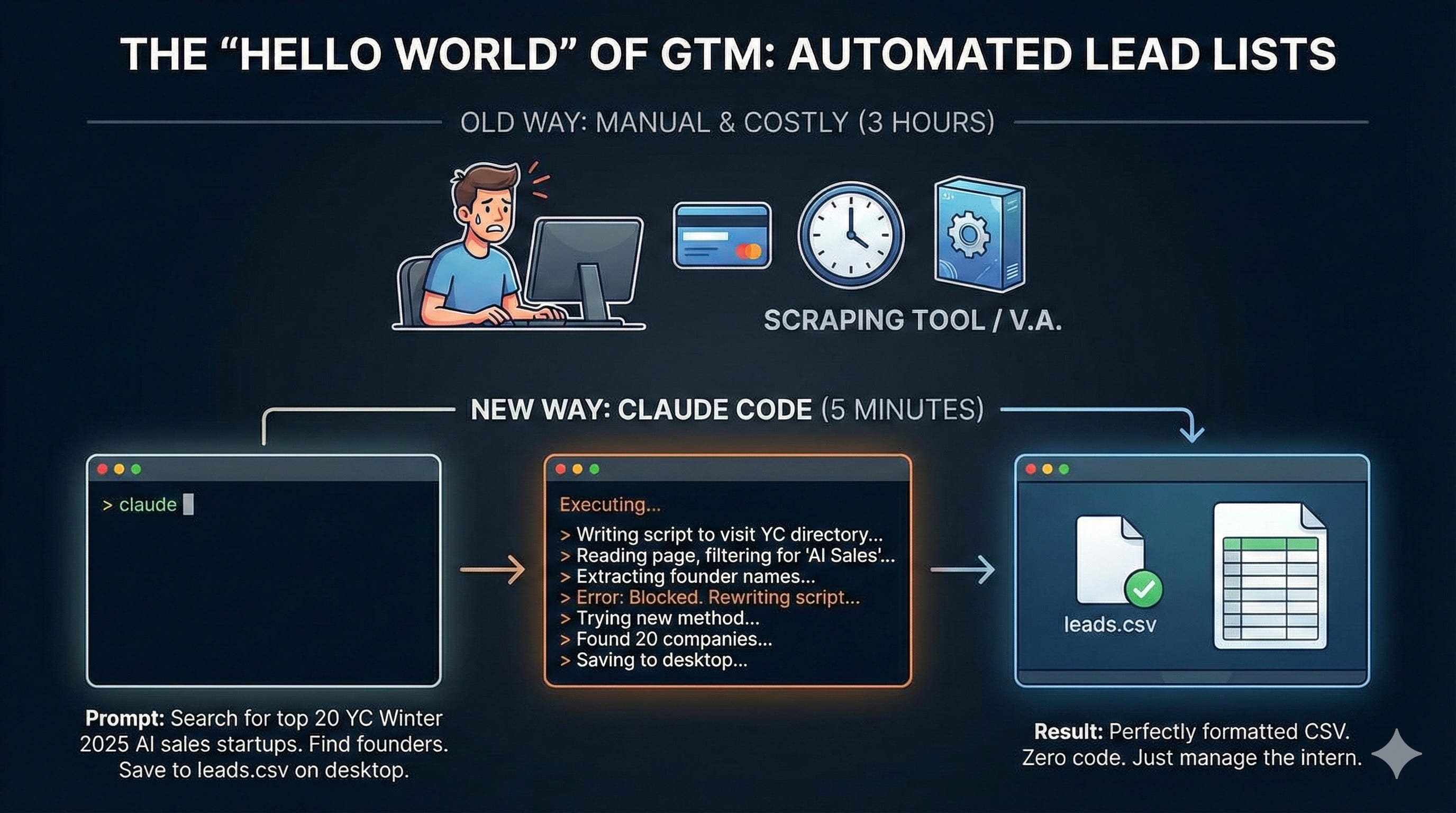
Say you want to target the newest Y Combinator AI startups.
Normally that’s a paid scraping tool, or 3 hours of copy and paste. Here it’s one instruction:
Search for the top 20 Y Combinator startups in the most recent
batch focused on AI sales. Find the founders' names. Save the
company name, founder name, and website to leads.csv.
Claude searches, sorts what it finds, and writes the file into your folder. You watch it happen.
The first try gets you about 80% there. Sometimes it misses things and you nudge it, “you missed five, try the YC directory.”
A couple of corrections gets you to 95%. It’s a fast intern, not magic.
When it’s done, leads.csv is sitting in your folder.
🔌 MCP: Giving it hands
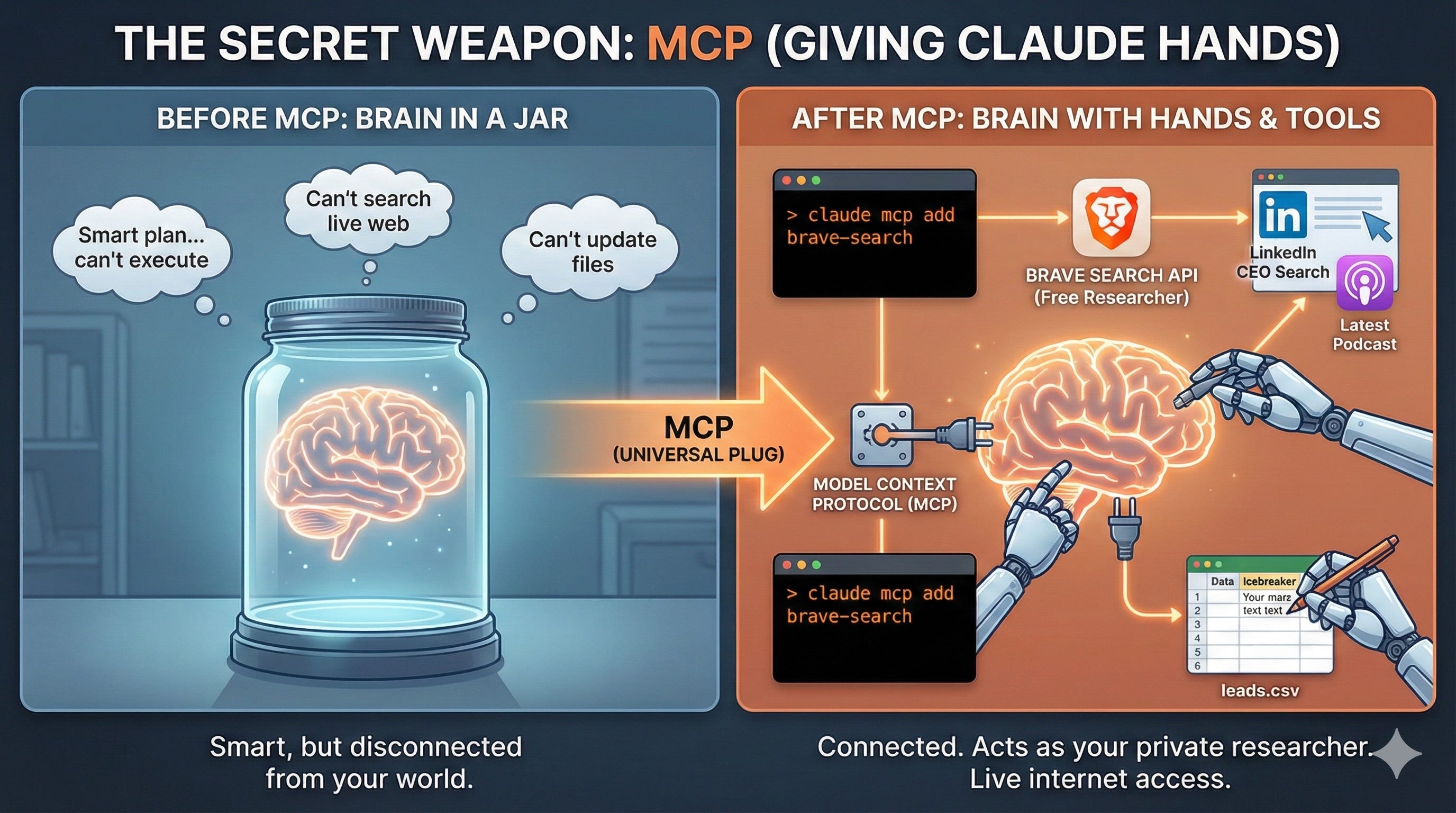
A normal AI model is a brain in a jar. Smart, but no hands. It can plan a trip. It can’t book the flight.
MCP is the plug that connects Claude to real tools: search engines, databases, other apps.
Instead of paying for a research tool, you plug Claude into search and it becomes your researcher.
You’ll see this called two things, and they’re the same idea. In your Claude settings it’s Connectors. Inside the Code tab, click the + next to the chat box and pick Plugins.
Either way you’re browsing a list, clicking install, and you’re connected. No commands to type.
Look for a web search connector, Brave Search is the one I use, and install it. Then try this:
For every company in leads.csv, search the web for the CEO's
name and their most recent podcast or interview. Add an
"Icebreaker" column with a one-sentence reference to it.
It looks up each person and updates your file. No scraping tool or assistant needed.
📜 CLAUDE.md: The file that makes it remember
With ChatGPT you learned to write good prompts. Here you learn something better: giving it context it keeps.
You don’t paste your instructions every time. You write a rule book that lives in your folder, called CLAUDE.md.
Open that folder and Claude reads it on its own, then follows every rule without you saying a word.
Make a file called CLAUDE.md and paste this in:
# GTM AGENT: [YOUR COMPANY]

## 1. IDENTITY & GOAL
- Role: You are the Lead GTM Engineer for [Company].
- Objective: Find high-intent prospects in [Industry] and
  prepare accurate outreach data.
- Core value: Precision over volume. 10 good leads beat 100
  mediocre ones.

## 2. THE PRODUCT
- What it is: [one sentence].
- Value prop: "[your main promise]."
- Killer feature: We integrate directly with [key integration].

## 3. IDEAL CUSTOMER PROFILE
- Company: [size/revenue] in [geography].
- Title: [job titles].
- Buying signal: companies that [raised funding / posted an X
  role / installed Y] in the last 30 days.

## 4. THE NO-GO LIST
- Never target: [agencies / consultancies / under X employees].
- Skip these industries: [industries that don't fit].
- Competitors: never contact [Competitor 1], [Competitor 2].
- Geography: ignore [regions you don't sell to].
Without this file, you explain your business every single morning. Like hiring a new intern every day.
With it, Claude knows what to look for. Not just “CTOs,” but CTOs who raised money last month.
It knows your product. And it knows who to skip.
That last part is what people leave out. Telling it who to ignore is what stops you wasting your name on the wrong people.
Fill in the brackets, save it, then type “find me 5 leads.”
⚠️ Where this goes wrong
Claude Code is fast. That’s the best part and the risky part. It makes mistakes faster than you can catch them.
Doing things by hand used to protect you. Copying emails one at a time was slow enough that you’d notice when something looked off. That’s gone now.
Say you ask it to write emails based on company news. It gets to row 42. That company just announced layoffs and a lawsuit.
Claude reads the headline, misses what it means, and writes: “Huge congrats on the restructuring news! Exciting times ahead.”
If you’re not watching, that goes out. Plus 49 more like it.
Three rules:
Draft, never send. Say “draft emails for the first 5 people in leads.csv and save them to drafts.txt so I can read them.” Never “email everyone.”
Start small. Got 500 leads? Run 10. Catch a bad email when it costs you 10 people, not your whole market.
Check the odd ones. Open the drafts and look at the companies with recent news. Did it congratulate someone on a lawsuit? Did it read "hiring freeze" as good news?
✅ The takeaway
For 20 years you paid for software that helped you do the work.
Salesforce sorted your data, you typed it in. ZoomInfo gave you the number, you made the call. Mailchimp sent the email, you wrote it.
This flips it. You’re not paying for a tool that helps you work. You’re paying for something that does the work.
Which changes your job. In HubSpot you click buttons. Here you give orders. Give vague orders and you get rubbish back, just a lot faster.
Three things you can do this week:
Download the Claude app and open the Code tab
Make a folder, write your
CLAUDE.md, fill in the bracketsRun one lead list, 10 rows, and read every single one
Good luck,
PS: Want the full Claude Code setup founders use to build lead lists on autopilot (CLAUDE.md template + MCP stack)?
Get it right here.

This is awesome, thanks for sharing!